 Jira & Confluence



 Bitrix24
 Weekly budget · NZ$ · free Excel
Weekly budget template NZ — money in, money out and what is left every week
Short answer. Most of us are paid weekly or fortnightly while power is monthly and rego yearly. Weekly amount: weekly × 1, fortnightly × ½, monthly × 12 ÷ 52, quarterly × 4 ÷ 52, yearly ÷ 52 (How the template converts).
- Set up automatic payments for savings and bills — on paydaytype the date
- Check the four-week trackertype the date
Check your own case.
Habits, not rules.
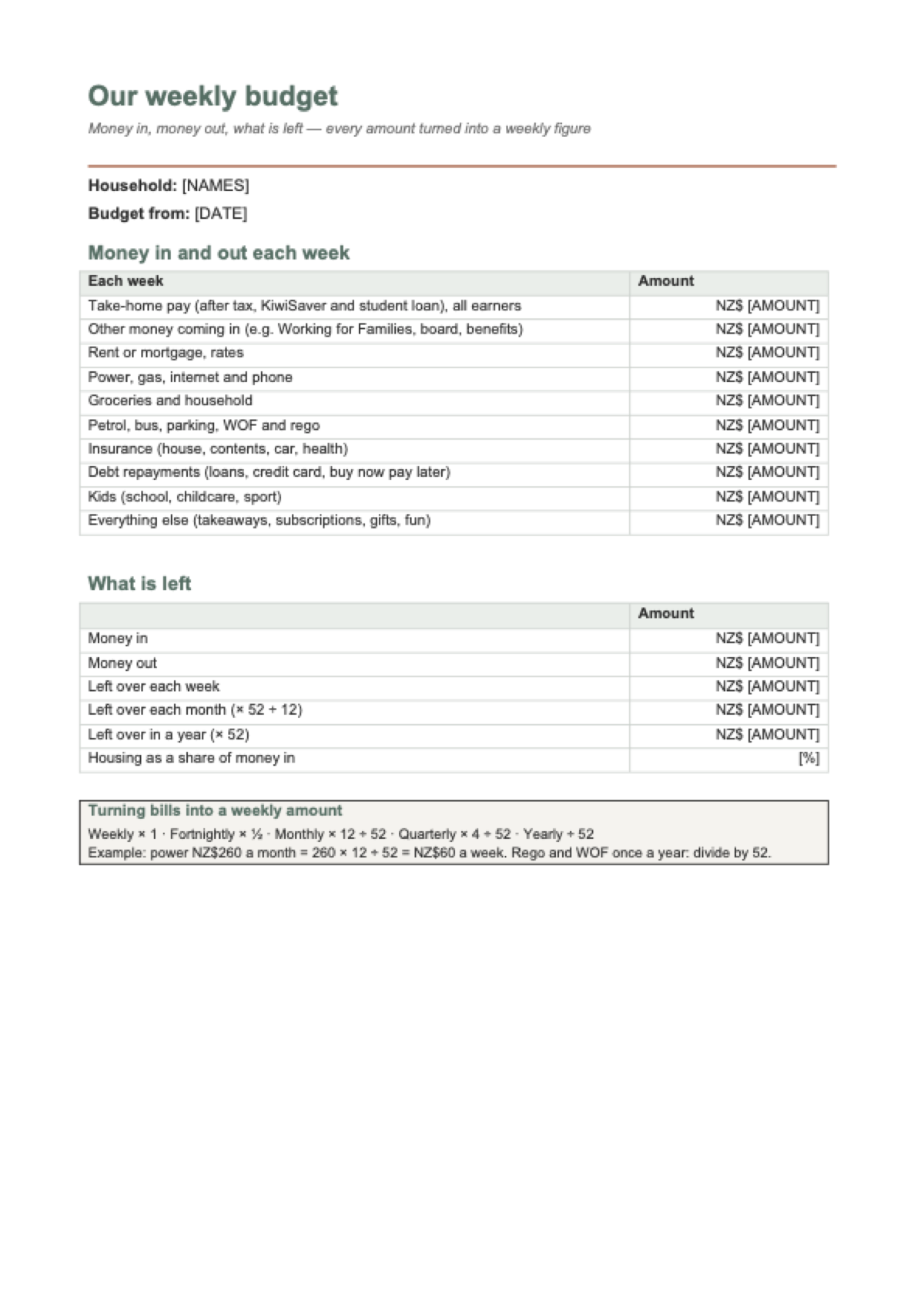
Start typing right in the document — no sign-up. It stays in this browser; save it to your free Layers account to keep it, open it on your phone and share it.
Weekly budget · NZ$
Your week in dollars — money in, money out and what is left
Put in your take-home pay and your weekly costs: rent, power, groceries, petrol, insurance, debts, kids and everything else. You see what is left each week, month and year, where the money goes, and a free Excel budget that turns monthly and yearly bills into weekly amounts. No sign-up.
- In the Excel file write each bill the way you pay it — weekly, fortnightly, monthly or yearly — and the weekly amount works itself out.
- Track four weeks on the «Tracker» sheet: anything over budget turns red.
- Set a goal on the «Goals» sheet, and if the week does not add up, MoneyTalks gives free budgeting help: 0800 345 123.
Arithmetic only: money in minus money out, × 52 ÷ 12 for a month, × 52 for a year. The examples are fictional households, not averages. Not financial advice.

Lida, Layers template assistant
Tell me your take-home pay and weekly costs and I will show what is left.
The Excel template turns monthly and yearly bills into weekly amounts.
Deadlines
The rules, with the source
| What | Deadline | Source |
|---|---|---|
| Weekly amount | Weekly × 1, fortnightly × ½, monthly × 12 ÷ 52, quarterly × 4 ÷ 52, yearly ÷ 52 | How the template converts |
| What is left | Money in − money out; × 52 ÷ 12 for a month, × 52 for a year | The calculator |
| Housing share | Rent or mortgage and rates as a share of money in | A number to watch |
The examples are fictional households, not averages. Free, confidential budgeting help: MoneyTalks 0800 345 123.
Step by step
What to do, in order
1
Put in your pay
Take-home pay after tax, KiwiSaver and student loan, for everyone in the household.
2
Add your costs
Rent, power, groceries, petrol, insurance, debts, kids and everything else — weekly.
3
See what is left
Each week, month and year — and set a savings goal in the Excel file.
Questions
How do I make a weekly budget in NZ?
Write down your take-home pay and every cost, turn each one into a weekly amount (monthly × 12 ÷ 52, yearly ÷ 52) and subtract. The calculator and the Excel template do the conversion for you.
Should I use take-home or gross pay?
Take-home: what lands in your account after PAYE, KiwiSaver and student loan deductions.
What if I am paid fortnightly?
Halve your fortnightly pay for the weekly figure, or choose «Fortnightly» in the Excel file and it converts by itself.
Where can I get free budgeting help?
MoneyTalks is a free, confidential helpline: 0800 345 123.
Is it free? Do I need to sign up?
It is free and you do not need to sign up. With a free account you can save a copy to your Layers.
Other documents
Keep the papers in one place
Letters, receipts and notices in one folder you can share with family or a lawyer. The templates and the editor are free; Layers is free for up to 20 people.
A budget template, not financial advice.