 Jira & Confluence



 Bitrix24
 For students · Philippines
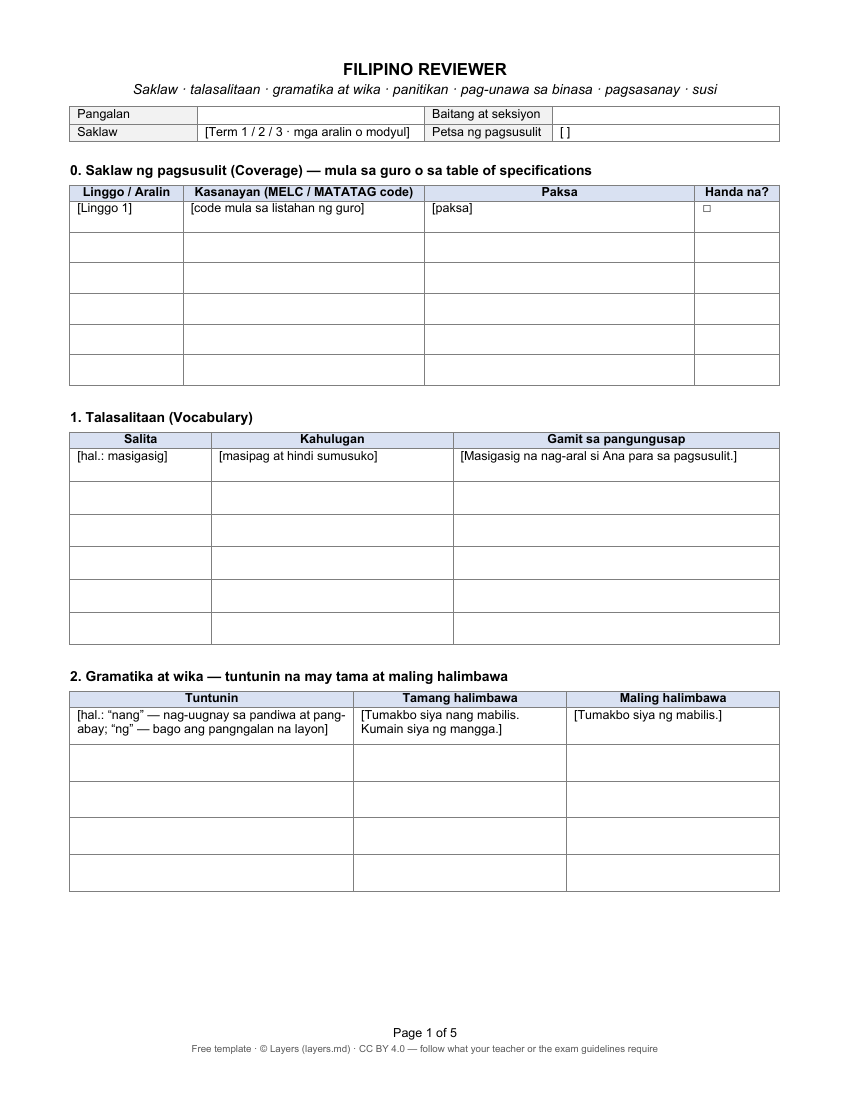
Filipino reviewer — talasalitaan, gramatika, panitikan, with answer key
A reviewer for Filipino in Filipino: talasalitaan with sentences, grammar rules with a tama and a mali example, the akda of the term with tauhan and aral, how to answer pag-unawa sa binasa — and practice with a susi. It is open below — start typing, no sign-up.
Start typing right in the document — no sign-up. It stays in this browser; save it to your free Layers account to keep it, open it on your phone and share it.
- 1Fill in. Type into the Filipino reviewer right here on the page — no sign-up, nothing to install.
- 2Print or download. Print it in one click, or download the Word file to keep and edit.
- 3Send. Print it on short bond paper, or share it with your classmates and study group.
- 4Deadline. Finish it the week before the term exam; review it again 1, 3 and 7 days later.
What is inside
Your Filipino reviewer, part by part
- 1Saklaw — coverage by week and competency code
- 2Talasalitaan: salita, kahulugan, pangungusap
- 3Gramatika at wika: tama at maling halimbawa
- 4Panitikan: akda, may-akda, uri, tauhan, aral
- 5Pag-unawa sa binasa — question types
- 6Pagsasanay, mga mali ko, susi sa pagwawasto
How to make it
Five steps before the exam
1
Kunin ang saklaw
Ask your teacher for the akda, the grammar lessons and the competency codes of the term.
2
Talasalitaan
Each new word with its meaning and your own sentence.
3
Gramatika
Each rule as a pair: one correct and one wrong sentence.
4
Panitikan
For each akda: may-akda, uri, mga tauhan and the aral or tema.
5
Subukin ang sarili
Answer without notes, check the susi, and review the mistakes after 1, 3 and 7 days.
Free templates
The reviewer and what goes with it
Open any of them as a Layers page or as Word and Excel — no sign-up to look.
-
Filipino reviewer (Word)Saklaw — coverage by week and competency code · Talasalitaan: salita, kahulugan, pangungusap · Gramatika at wika: tama at maling halimbawa · Panitikan: akda, may-akda, uri, tauhan, aral. See a page ↓
-
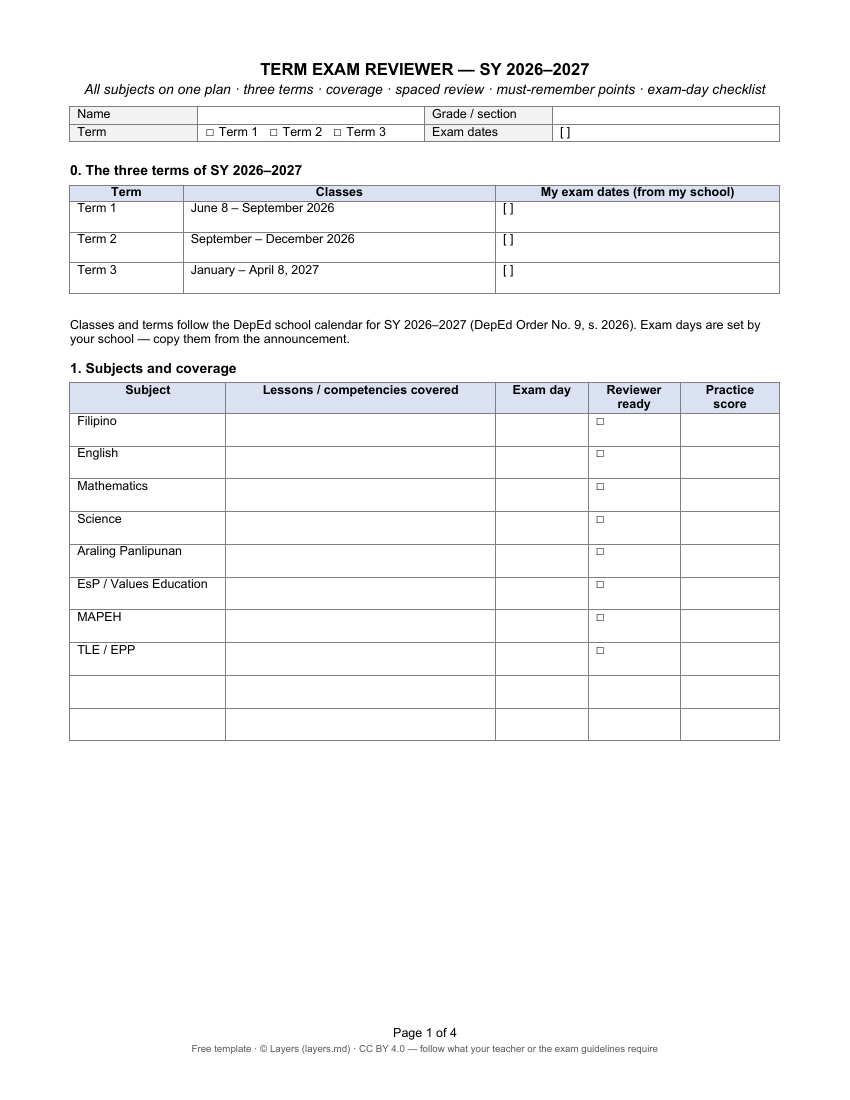
Term exam plan — all subjectsEvery subject of the term on one page: coverage, exam days, review after 1, 3 and 7 days. See a page ↓
-
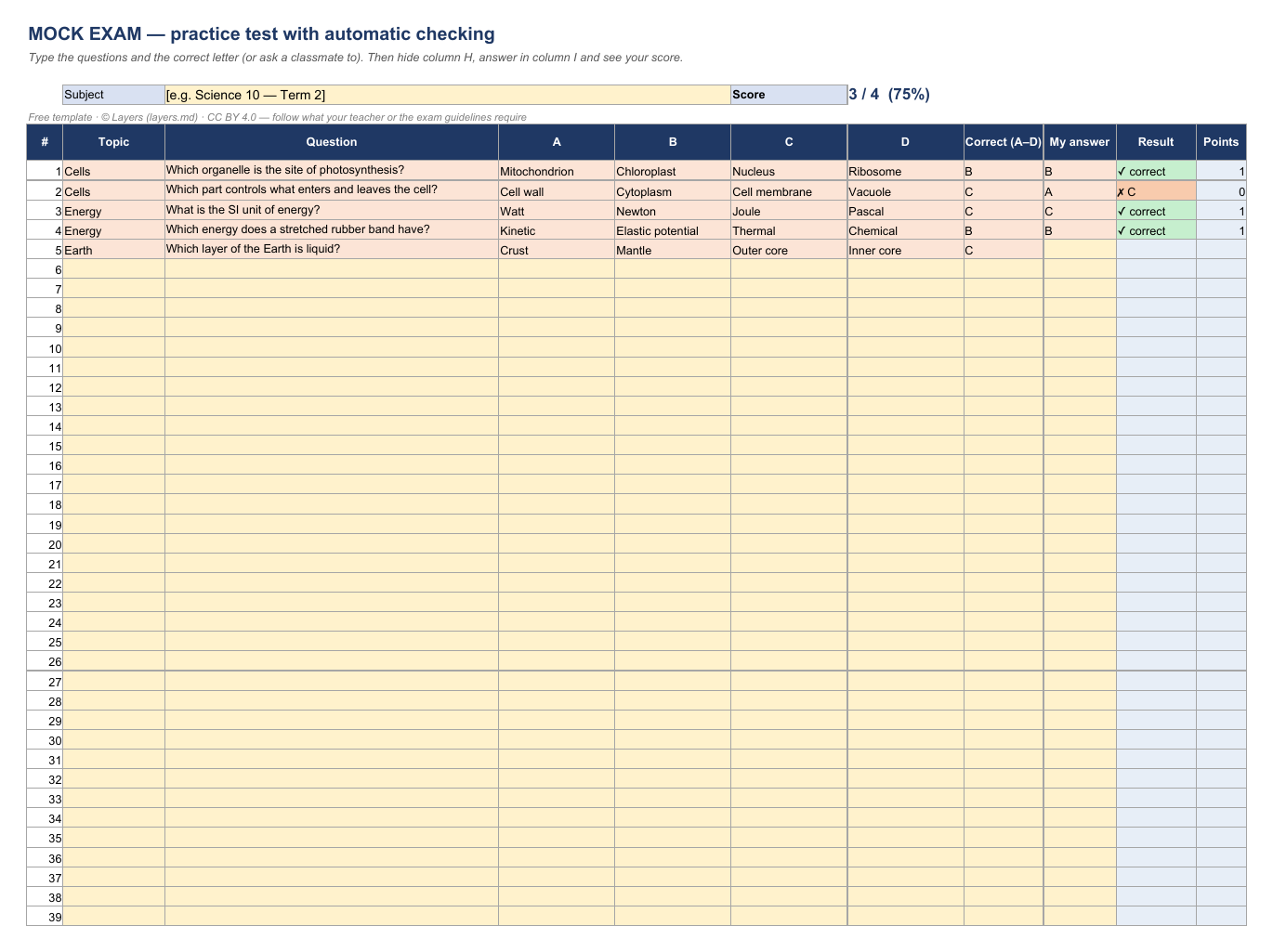
Mock exam that checks itself (Excel)Up to 100 multiple-choice questions checked against your key, with the topics to review again. See a page ↓
-
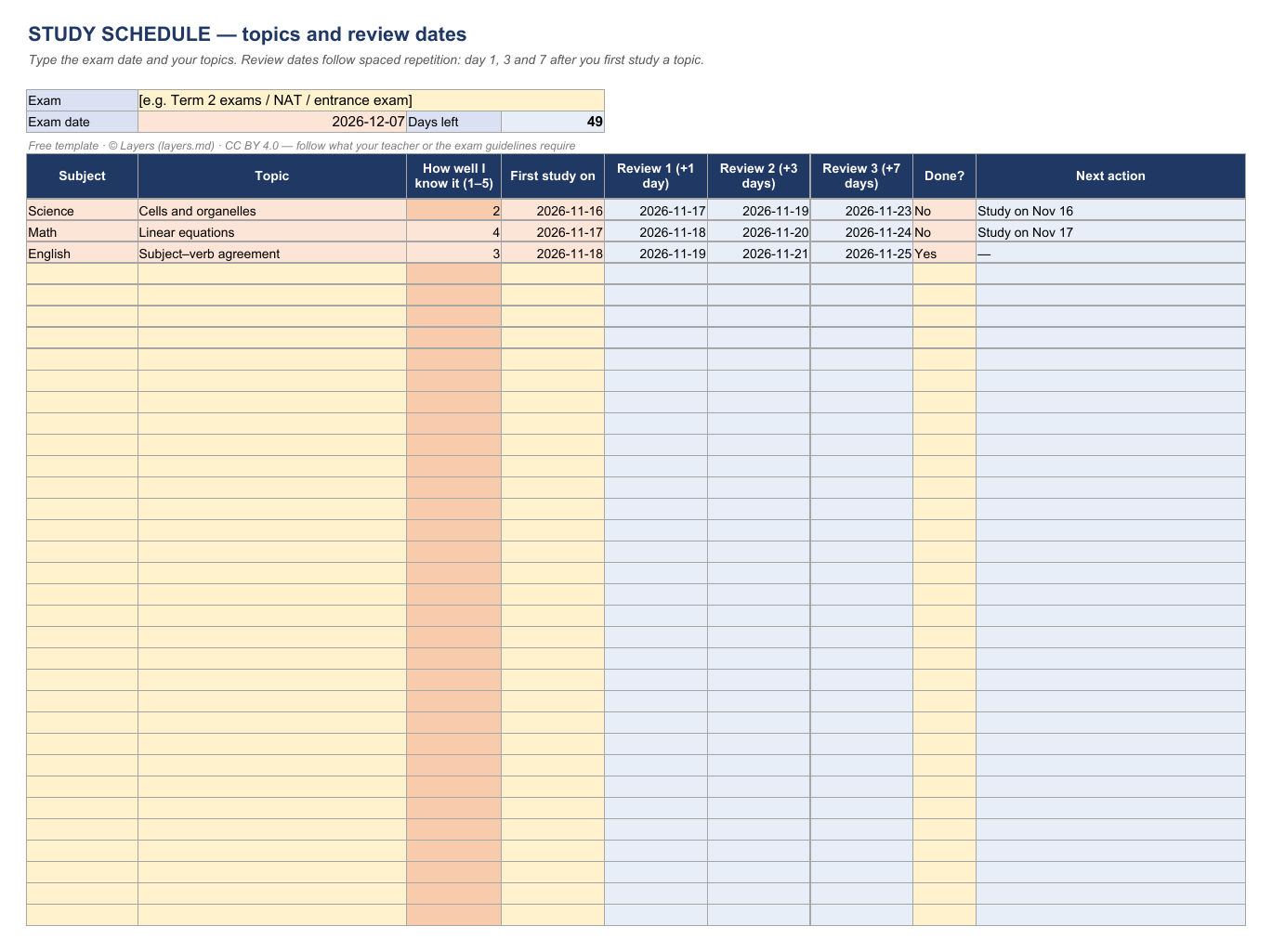
Study schedule (Excel)Days left to the exam and each topic with review dates after 1, 3 and 7 days. See a page ↓
-
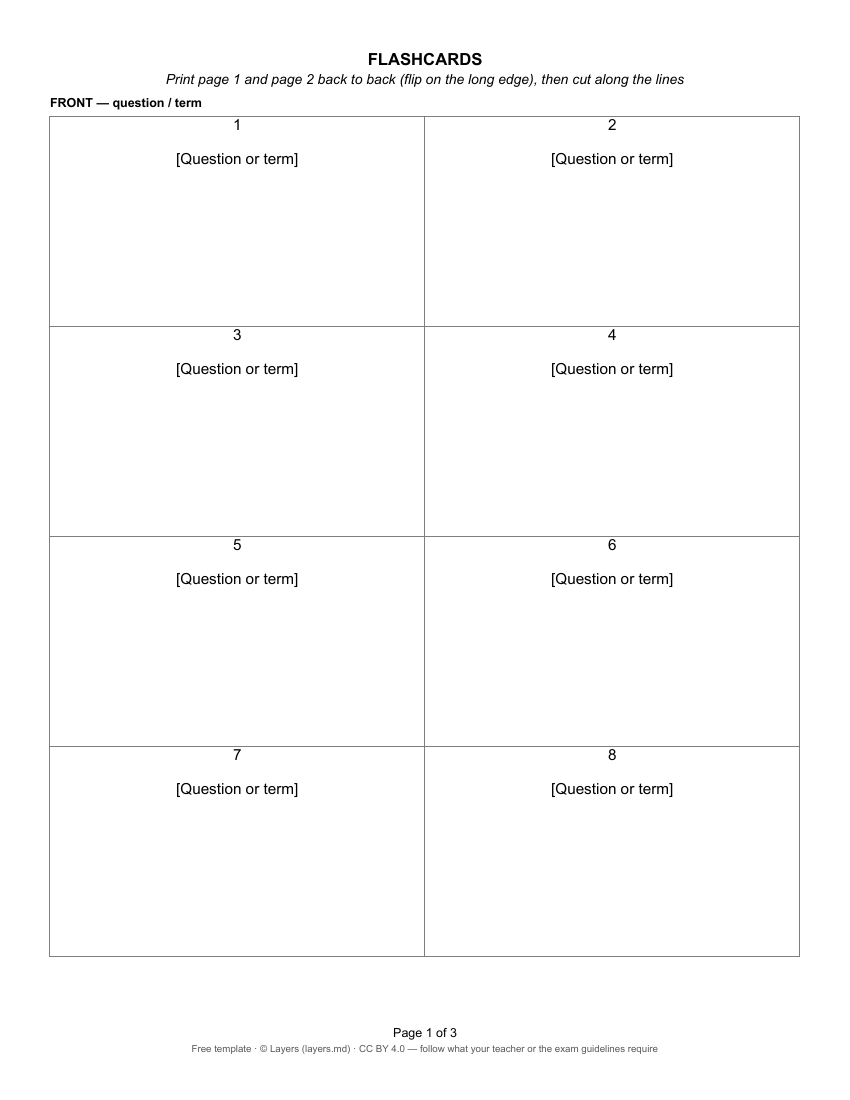
Flashcards (Word)Eight cards per page, the answer printed behind each question. See a page ↓
Templates written for this page: the structure of your own reviewer, not exam answers. Follow what your teacher or the official exam guidelines require. Licence CC BY 4.0 · © Layers (layers.md).
Other subjects
A reviewer for every subject of the term
Questions
How do I make a Filipino reviewer?
Kunin ang saklaw → Talasalitaan → Gramatika → Panitikan → Subukin ang sarili. The template has a section for each step — type into it right on this page and print it.
Is there a Filipino reviewer with answer key?
Yes — the template has practice questions and the answer key (susi sa pagwawasto) on its own page, so you can test yourself without peeking.
Do I have to sign up?
No. Look at the page right here and open it in Layers without an account. Sign in free only to save your own copy and keep editing.
Can I use it in Word or Google Docs?
Yes. The same reviewer opens as a Layers page or as a Word file (.docx), which also opens in Google Docs. Letter size (short bond), ready to print.
Where do I get the topics?
From your teacher: the lessons or modules, the MELC or MATATAG competency codes and the table of specifications for the term exam. The template has a coverage table for them — copy them first, then make the reviewer.
Is the template in Filipino?
Yes — all labels are in Filipino (with English in brackets where it helps), so you write the whole reviewer in Filipino.
Does it have the answers to the exam?
No. It is the structure of your own reviewer: you fill in the lessons of your term, write practice questions like the exam and keep the answers on a separate page.
Reviewers, schedule and study group — in one window
Share one folder with your classmates, study together on a call, keep every reviewer of the term. Free for groups of up to 20 people.
Layers is an independent product and is not affiliated with DepEd or any school.