 Jira & Confluence



 Bitrix24
 01
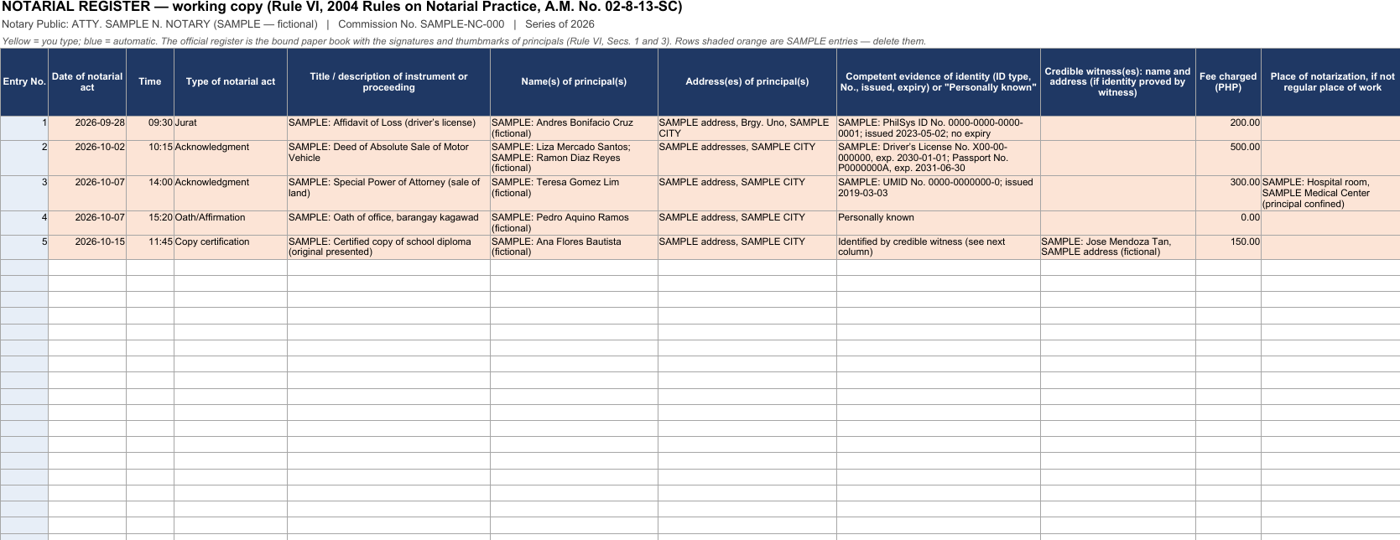
Notarial register
Doc. No., Page, Book and Series — entered once, the same in the document and in the book.
- Works today Register spreadsheet with the monthly report
- Coming Numbers stamped into the document and the book automatically
Work
ProjectsTasks, sprints and milestones PagesDocs and knowledge base FormsSurveys, quizzes, booking FlowProcesses and mockupsFor lawyers and notaries · Philippines
Unlike Scribd copies behind a login, you keep the notarial register and fill in the affidavit of loss right on the page, print them or get the file — free.
Since June 2025 the monthly notarial report goes to the Clerk of Court as PDF files by e-mail, by the 10th. The register is open below — or switch to the affidavit of loss, SPA, deeds of sale and seven more, and start filling them in.
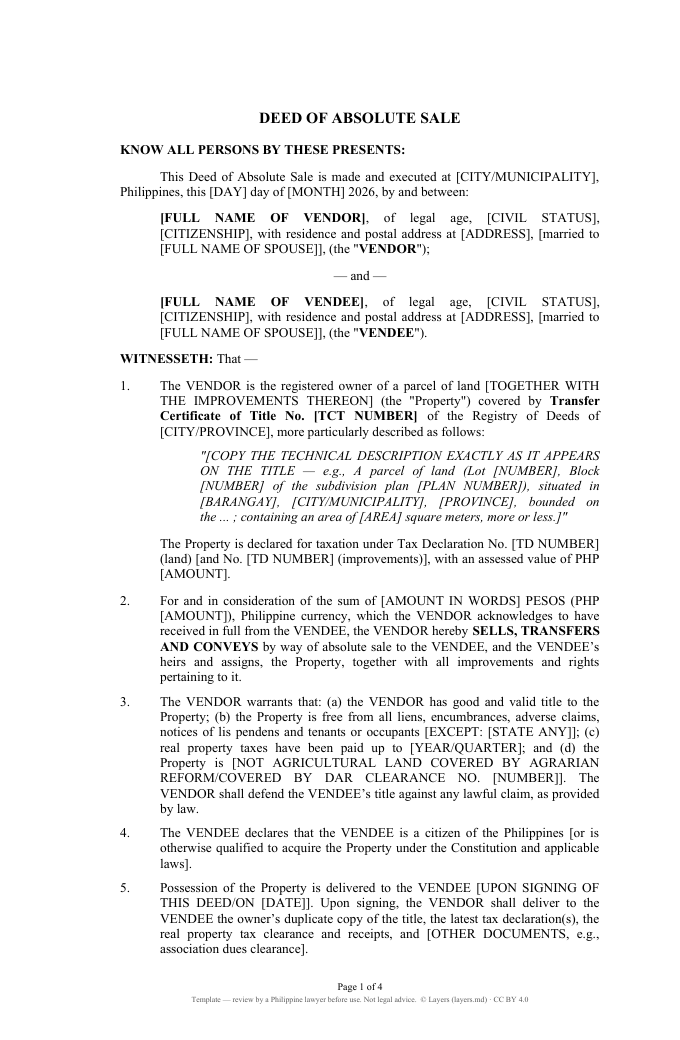
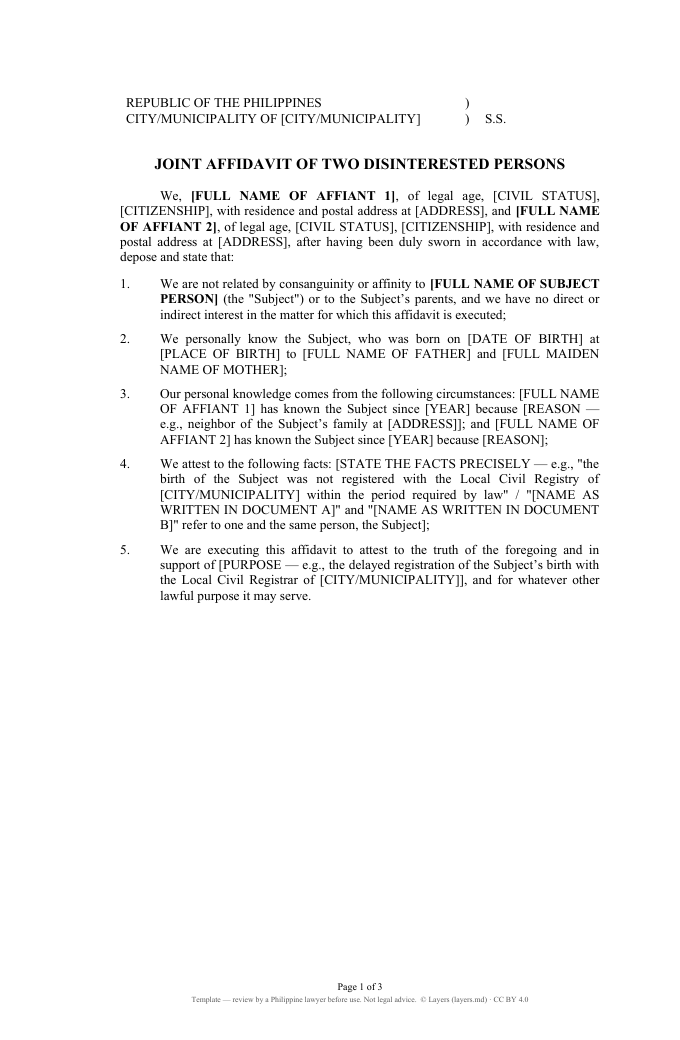
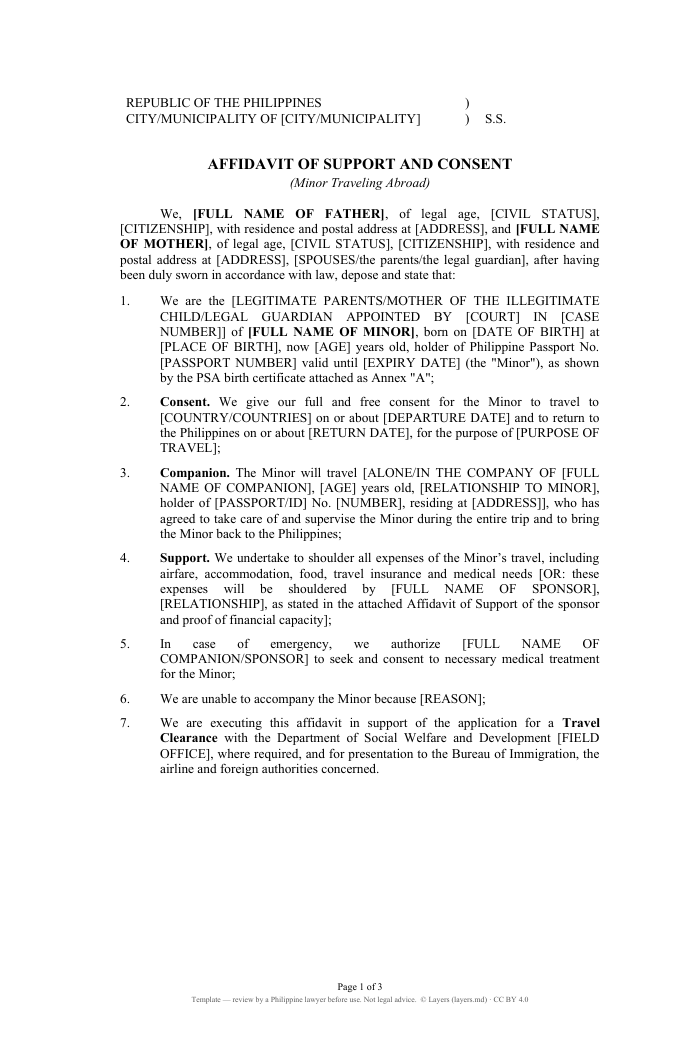
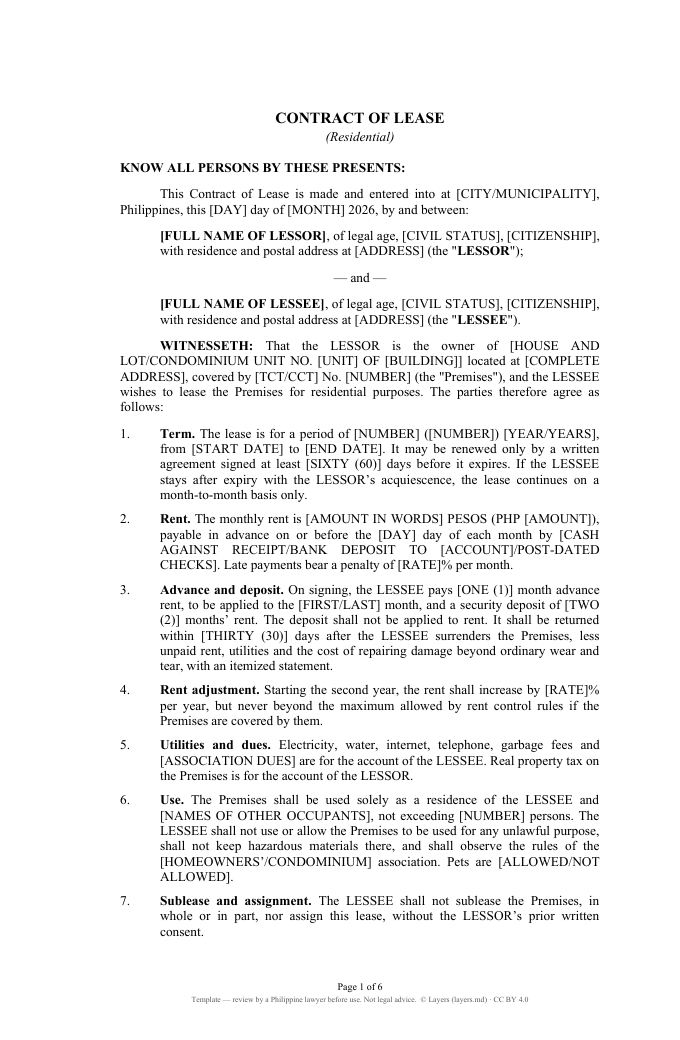
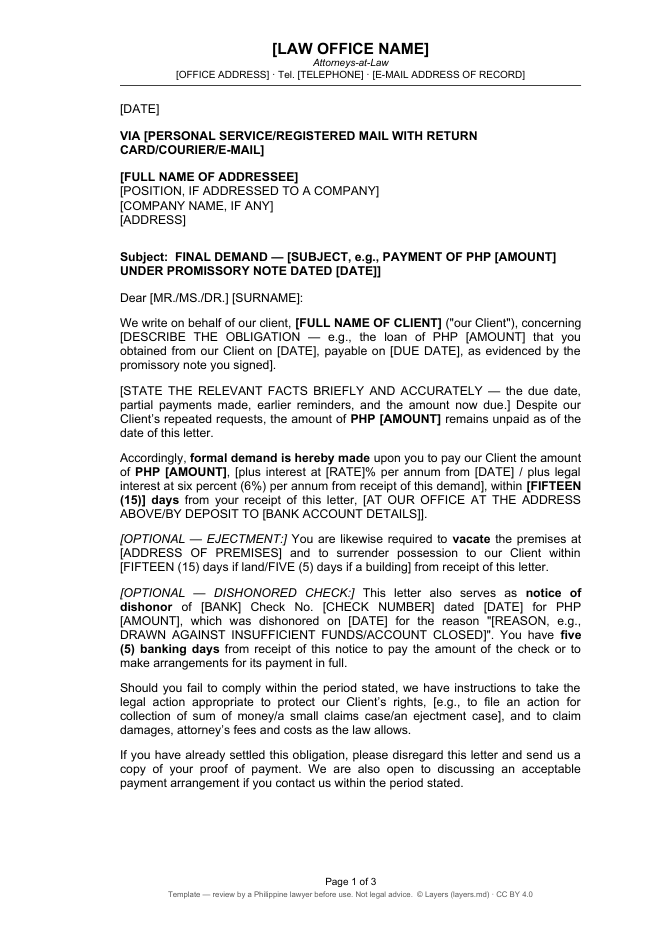
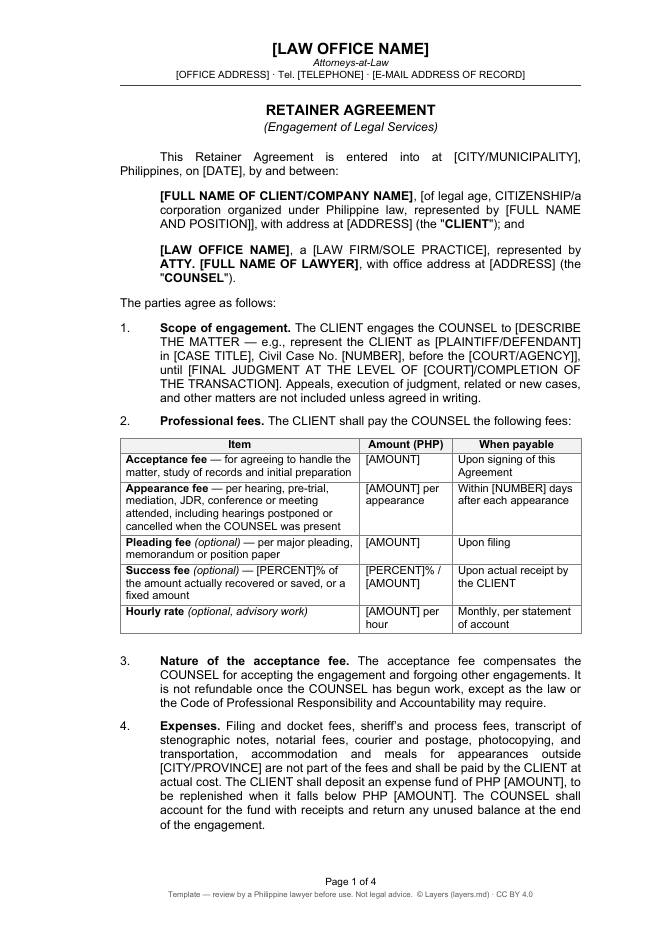
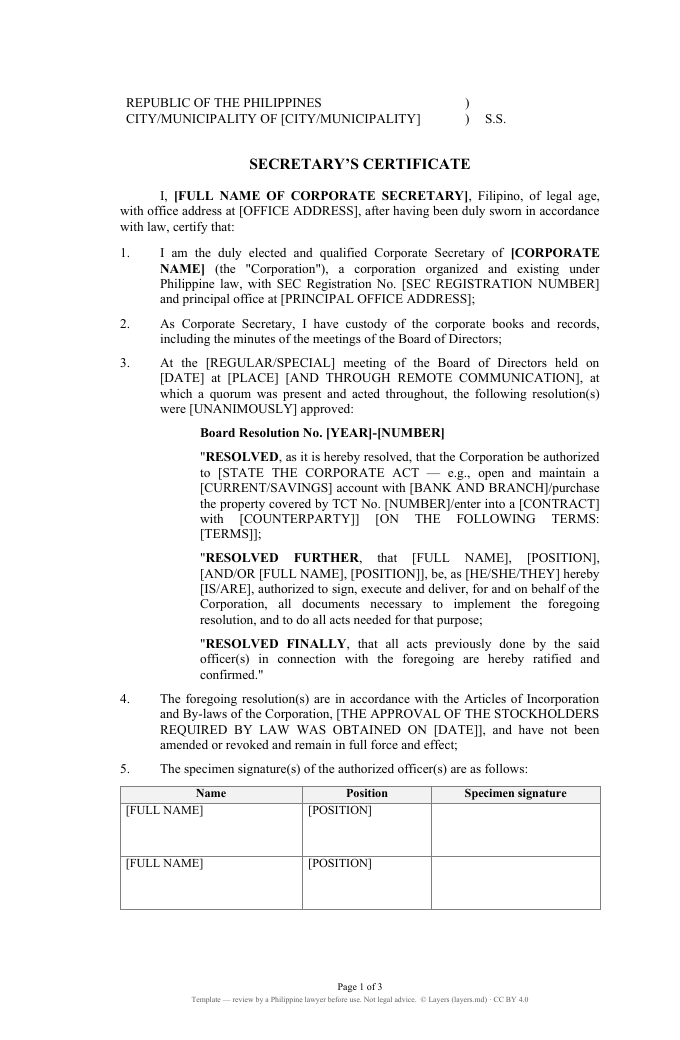
Start typing right in the document — no sign-up. It stays in this browser; save it to your free Layers account to keep it, open it on your phone and share it.
The notarial register, in Excel
1
At the end of each week write the number of instruments notarized; at the end of the month, the register lists every entry in order.
2
One PDF per instrument, full colour, named after the instrument, date and parties — the register suggests the file name.
3
From your registered e-mail to the Clerk of Court, files attached (no cloud links, no ZIP); a statement if you had no entries.
4
Send each signatory an electronic copy within 5 days unless they waive it.
2004 Rules on Notarial Practice (A.M. No. 02-8-13-SC), Rule VI, as amended by the En Banc Resolution of 4 March 2025 (reported effective 21 June 2025) and OCA Circular No. 197-2025. Check your Executive Judge’s instructions.
Free templates
Look at the first page right here, or open it in the editor — no sign-up to look; sign in free to save your copy as Word.
Templates are starting points written for this page, not official forms. Check them against the current rules before use. Licence CC BY 4.0 · © Layers (layers.md).
What it does
Honest status: Works today is live in Layers now, Coming is in progress.
01
Doc. No., Page, Book and Series — entered once, the same in the document and in the book.
02
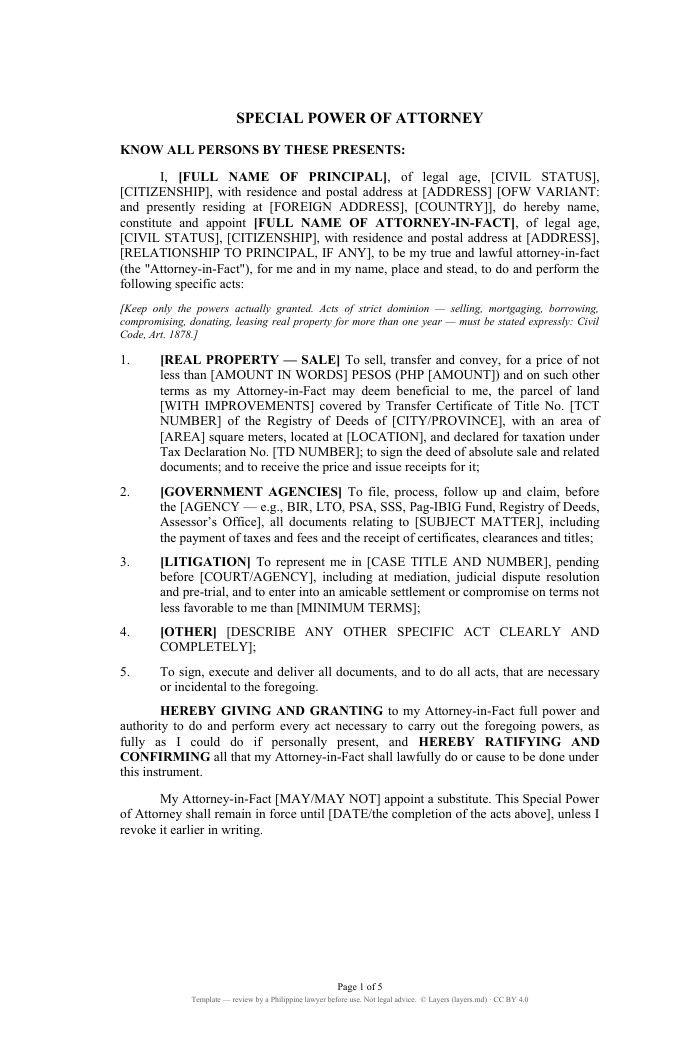
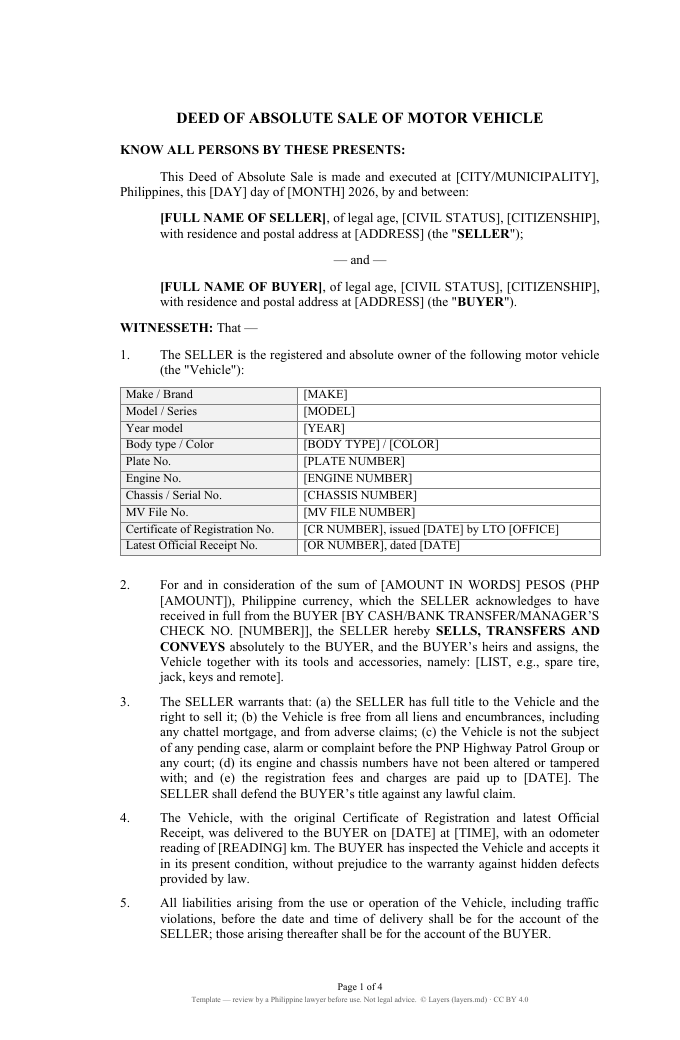
Affidavits, SPA, deeds of sale, lease, demand letter, retainer, secretary’s certificate. Open and fill them in the browser, save as Word (.docx).
03
Paper size, margins and font set up in the template, with the signature block: Roll No., IBP, PTR, MCLE.
04
Each deadline becomes a task with a due date and a reminder for you and your staff.
05
Every file of a matter in one folder; you decide who sees it. Client confidentiality first.
06
Record the fees of a matter and send the client a bill.
07
Chat, calls and shared documents with the client in the Layers mobile app for iOS and Android.
08
The client signs the engagement agreement with a one-time code sent by email — no printing, no courier.
The notary public’s official book of every notarial act — entry number, date and time, type of act, the instrument, the principals and their competent evidence of identity, the fee (Rule VI, 2004 Rules on Notarial Practice). It must be a permanently bound book with numbered pages.
One entry per notarial act, in order, with the fields of Rule VI; the Doc. No., Page No., Book No. and Series of the entry go on the notarial certificate of the document. The Excel register numbers them for you and builds the monthly report.
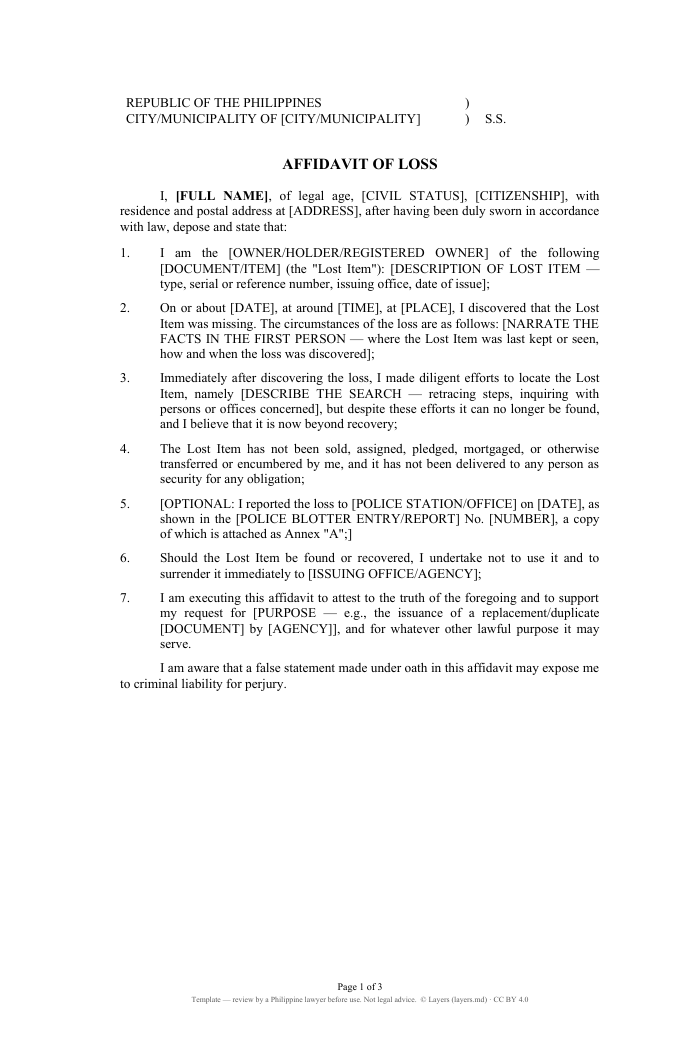
Yes. An affidavit is a sworn statement: you sign it before a notary public (jurat) and show competent evidence of identity. Fill in the template here, print it and bring it unsigned to the notary.
You can prepare it yourself — the template has the facts of the loss, the diligent search and the undertaking to surrender the item if found. It becomes an affidavit only when you swear to it before a notary public.
No. The template is already open at the top of this page: type in it right away. It stays in your browser; sign in free to save it to your Layers and open it anywhere.
No. The 2004 Rules require a permanently bound book with numbered pages. The spreadsheet is your working copy: it keeps the entries, numbers Doc. No. / Page / Book / Series, and builds the monthly report — then you write the same entries in the book.
Under the amendments to the 2004 Rules on Notarial Practice (reported effective 21 June 2025), the certified copy of the month’s entries and the duplicate originals go as PDF attachments by e-mail from the notary’s registered address within the first 10 days of the next month. Check your Executive Judge’s instructions.
The templates and the editor are free. Layers is free for teams of up to 20 people.
No. Layers is an independent product. The templates are starting points: check them against the current rules and your own practice before use. Nothing on this page is legal advice.
Yes. Templates and documents save as .docx and .xlsx and open in Word, Excel or any other editor.
In the Layers cloud on servers in the European Union. Access to a case folder is only for the people you add.
Templates and editor are free. Layers is free for teams of up to 20 people.
Layers is an independent product. It is not affiliated with or endorsed by the Supreme Court of the Philippines, the Integrated Bar of the Philippines or any court. Atty. Liza is an illustrated character.
We use no tracking cookies: the site only remembers the theme and language you choose. Analytics and third-party videos will only be turned on with your consent. About cookies