 Jira & Confluence




 Bitrix24
APA 7 · student paper · Word
APA format example — title page, headings and references set up for you
Ready, not blank.
Fill it in and download it in Word for free.
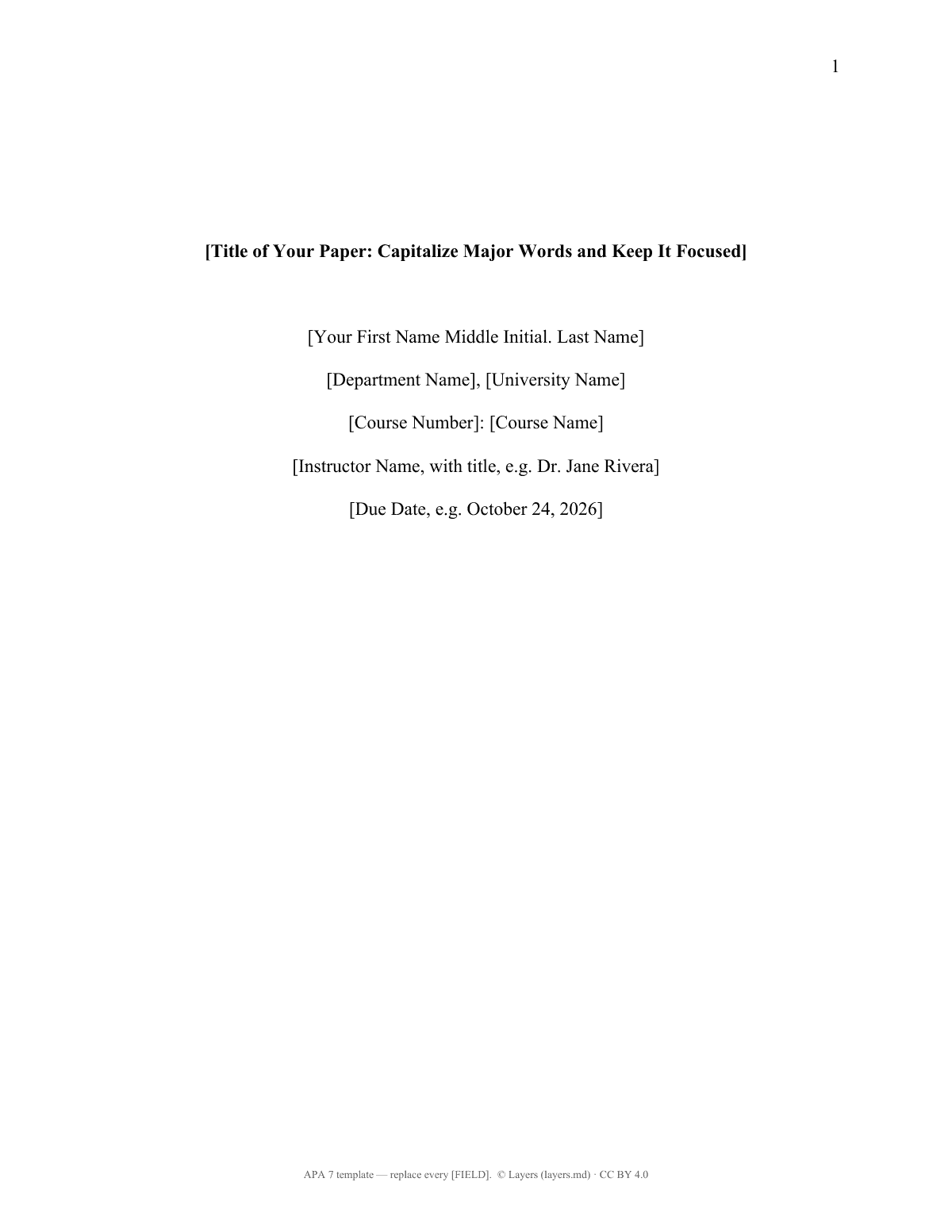
Short answer. The paper below is already formatted in APA 7: title page, page numbers, double spacing, five heading levels and a References page with hanging indents. Title page (student): title in bold, author, department and university, course, instructor, due date; page number top right (APA 7).
We will ask you to confirm this address, then email you the recipient’s reply.
Start typing right in the document — no sign-up. It stays in this browser; save it to your free Layers account to keep it, open it on your phone and share it.
Enter a date — we’ll count the deadlines
- Submit the papertype the date
Layers never asks for a code or payment in a message.
Check your own case.
Add your due date to get a reminder.

Lida, Layers template assistant
Your title page is ready — type your title, course and instructor over the brackets.
Keep the heading levels you use and replace the reference patterns with your sources.
Deadlines
The rules, with the source
| What | Deadline | Source |
|---|---|---|
| Title page (student) | title in bold, author, department and university, course, instructor, due date; page number top right | APA 7 |
| Font and spacing | one consistent font, e.g. 12-pt Times New Roman or 11-pt Calibri; double-spaced; 1-in. margins | APA 7 |
| Headings | Level 1 centered bold; Level 2 flush left bold; Level 3 flush left bold italic | APA 7 |
| In-text citation | (Author, Year); three or more authors: (Author et al., Year); quote: add p. | APA 7 |
| References | new page, “References” bold and centered, alphabetical, 0.5-in. hanging indent | APA 7 |
Instructors can change the requirements (for example ask for an abstract or a running head). Their instructions come first.
Step by step
What to do, in order
1
Fill the title page
Title, your name, department and university, course number and name, instructor, due date.
2
Write under the title
Page 2 repeats the title; start the introduction there without the word “Introduction”.
3
Use the headings
Keep the levels you need and delete the rest.
4
Cite as you write
Each idea from a source gets (Author, Year); quotations also get the page number.
5
Build the references
Replace each pattern with a real source; keep the list alphabetical.
6
Download
Delete the checklist page and download Word or PDF.
Questions
Does a student APA paper need a running head?
No. APA 7 student papers have only a page number in the header. A running head is for professional papers, unless your instructor asks for it.
Do I need an abstract?
Not for most student papers in APA 7. Add one only if your instructor requires it.
What font can I use?
APA 7 accepts several fonts, such as 12-pt Times New Roman, 11-pt Calibri, 11-pt Arial or 11-pt Georgia. Use one font throughout.
How do I cite a source with three or more authors?
Give the first author’s last name and “et al.” from the first citation: (Garcia et al., 2024).
Are the references in the template real sources?
No. They are patterns that show the order, italics and punctuation. Replace each one with your own source.
Is there an MLA version?
Yes — see the MLA format example on layers.md.
Official sources
Other documents
Keep the papers in one place
Letters, receipts and notices in one folder you can share with family or a lawyer. The templates and the editor are free; Layers is free for up to 20 people.
A formatting template based on APA Style (7th edition) guidance. Not affiliated with the American Psychological Association.