 Jira & Confluence




 Bitrix24
Schedule · Excel · printable
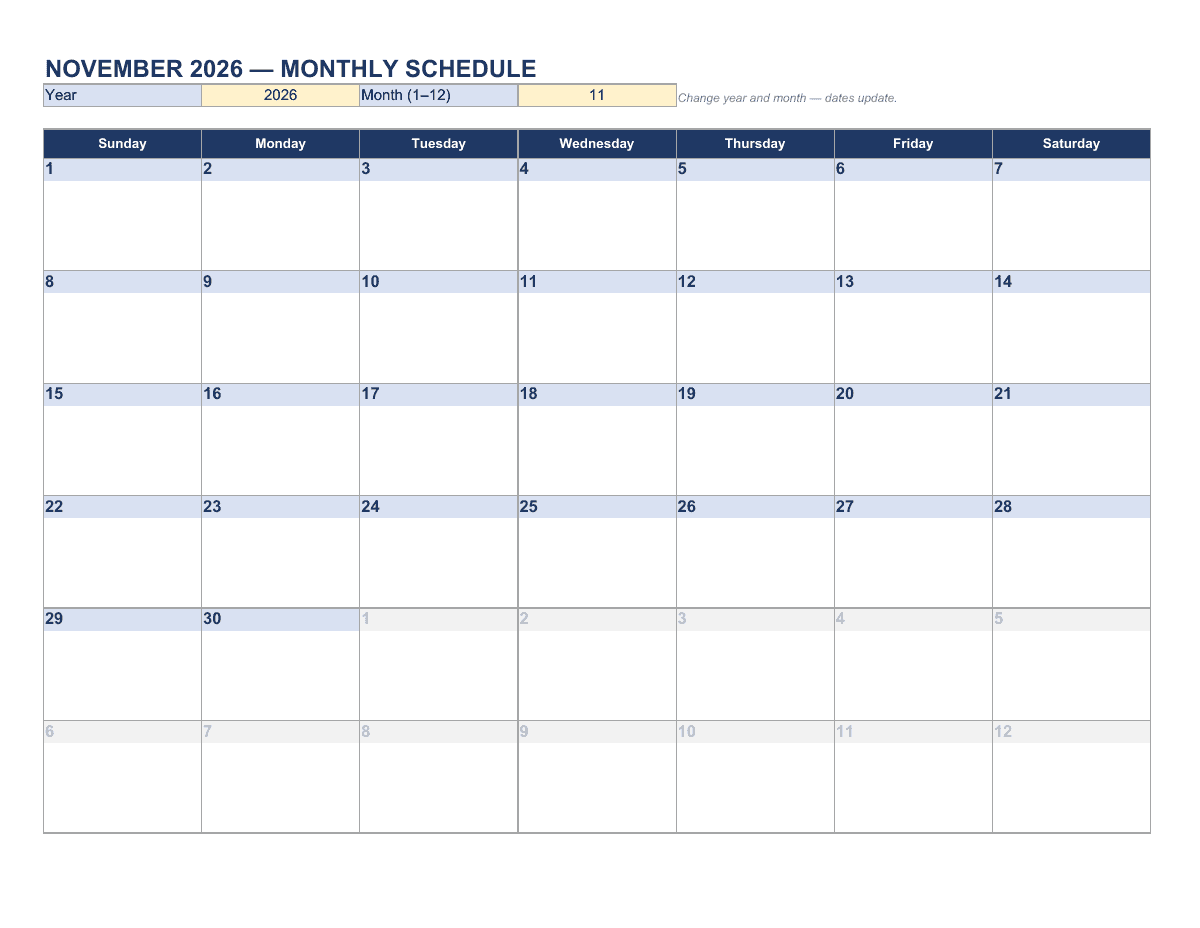
Monthly schedule printable — choose the month, the dates fill in
Counted — and already on paper.
A ready sheet that does the maths. Open it and enter your figures.
Short answer. Type a year and month and the calendar grid updates, with four lines a day for appointments and shifts. Monthly: year + month → 6-week grid starting Sunday; days of other months greyed (Monthly sheet).
We will ask you to confirm this address, then email you the recipient’s reply.
Start typing right in the document — no sign-up. It stays in this browser; save it to your free Layers account to keep it, open it on your phone and share it.
Enter a date — we’ll count the deadlines
- Weekly check-intype the date
- Plan next monthtype the date
Layers never asks for a code or payment in a message.
Check your own case.
Planning reminders; change them to your own rhythm.

Lida, Layers template assistant
Tell me the month, and the calendar will lay itself out.
Shifts add up by themselves — even the ones that end after midnight.
Deadlines
The rules, with the source
| What | Deadline | Source |
|---|---|---|
| Monthly | year + month → 6-week grid starting Sunday; days of other months greyed | Monthly sheet |
| Weekly | pick a start date → 7 days × 30-minute blocks, 6 AM to 10 PM | Weekly sheet |
| Work shifts | start and end per day → weekly hours, overnight shifts included, breaks not deducted | Work shifts sheet |
| Meal plan | 7 days × breakfast, lunch, dinner, snacks + grocery list | Meal plan sheet |
Each sheet prints on one page (letter). Shift hours are a planning total, not a payroll record.
Step by step
What to do, in order
1
Choose the month
Year and month on the Monthly sheet.
2
Add fixed dates
Bills, school, appointments, birthdays — four lines per day.
3
Block the week
On the Weekly sheet, set the start date and fill in time blocks.
4
Schedule shifts
Names, roles, start and end times; hours add up per person and per week.
5
Plan meals
Fill the week and the grocery list next to it.
6
Print or share
Print each sheet on one page or share the live file with your family or team.
Questions
Is the monthly schedule free?
Yes. Fill it in online and download Excel without signing up.
Can I change the month?
Yes — change the year and month at the top; every date moves.
Does the week start on Sunday?
The monthly grid starts on Sunday. On the weekly and shift sheets, the first column is whatever start date you choose.
Does the work schedule count overnight shifts?
Yes — a shift from 10 PM to 6 AM counts as 8 hours. Unpaid breaks are not deducted.
Is there a food schedule template?
Yes — the Meal plan sheet has a 7-day meal schedule and a grocery list.
Can my family or team see the same schedule?
Share the live document from Layers; everyone sees the latest version without sign-up.
Other documents
Keep the papers in one place
Letters, receipts and notices in one folder you can share with family or a lawyer. The templates and the editor are free; Layers is free for up to 20 people.
A planning template. Hours on the shift sheet are not a payroll or timekeeping record.