 Jira & Confluence




 Bitrix24
KRA · iTax · income tax return
KRA iTax return — file it, or a NIL return, and claim a refund
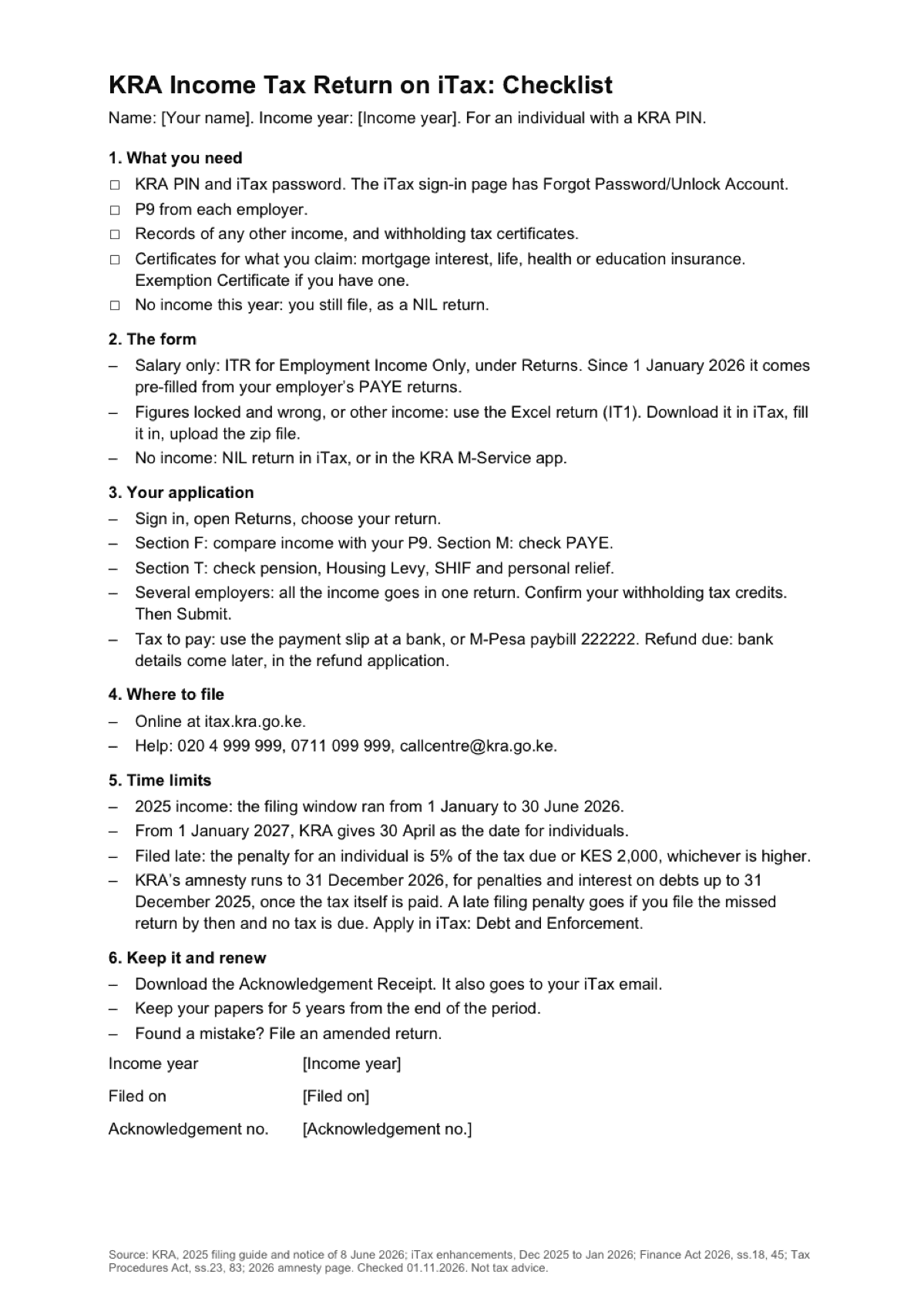
Short answer. Everyone with a KRA PIN and an income tax obligation files once a year, even with no income: then it is a NIL return. On salary only, use the pre-filled ITR for Employment Income Only and check it against your P9. A refund starts from the return; bank details come later, in the refund application.
Updated: · Next check 2027-02-01
Enter a date — we’ll count the deadlines
- Keep your papers untiltype the date
Layers never asks for a code or payment in a message.
Check your own case.
KRA says to keep your papers for 5 years from the end of the period.
We will ask you to confirm this address, then email you the recipient’s reply.
Start typing right in the document — no sign-up. It stays in this browser; save it to your free Layers account to keep it, open it on your phone and share it.

Lida, Layers template assistant
Use only kra.go.ke and itax.kra.go.ke.
Keep your papers for 5 years from the end of the period.
Deadlines
The rules, with the source
| What | Deadline | Source |
|---|---|---|
| 2025 income | The filing window ran from 1 January to 30 June 2026 | KRA notice, 8 June 2026 |
| Date from 1 January 2027 | KRA gives 30 April for individuals | KRA, Finance Act 2026 |
| Salary only | ITR for Employment Income Only, pre-filled since 1 January 2026 | KRA, iTax enhancements |
| Figures locked and wrong, or other income | Excel return (IT1): download, fill in, upload the zip | KRA, iTax enhancements |
| No income | NIL return in iTax or the KRA M-Service app | KRA, individual income tax |
| Filed late | 5% of the tax due or KES 2,000, whichever is higher | Tax Procedures Act |
| Amnesty | To 31 December 2026, for penalties and interest on debts up to 31 December 2025, once the tax is paid | KRA, 2026 tax amnesty |
Checked on 1 November 2026 on kra.go.ke. KRA does not state which income year the 30 April date first applies to.
What does not exist
Be careful with these.
- “No income means no return”: You file a NIL return.
- “Pre-filled means correct”: Compare the figures with your P9 before you submit.
Step by step
What to do, in order
1
Gather your papers
P9 from each employer, other income, certificates for what you claim.
2
Sign in to iTax
Open Returns and choose your return.
3
Check the figures
Income against P9, PAYE, then pension, Housing Levy, SHIF and relief.
4
Several employers
All the income goes in one return. Then submit.
5
Pay or claim
Tax to pay: payment slip at a bank, or M-Pesa paybill 222222. Refund: application comes later.
6
Keep the receipt
Download the Acknowledgement Receipt.
Questions
Do I file with no income?
Yes, a NIL return, in iTax or the KRA M-Service app.
The pre-filled figures are wrong. What now?
If they are locked, use the Excel return (IT1).
How do I claim a refund?
File your return first. Bank details come later, in the refund application.
I filed late. What is the penalty?
For an individual, 5% of the tax due or KES 2,000, whichever is higher.
What does the amnesty cover?
Penalties and interest on debts up to 31 December 2025, once the tax is paid, if you apply by 31 December 2026.
Official sources
Other documents
Keep the papers in one place
Letters, receipts and notices in one folder you can share with family or a lawyer. The templates and the editor are free; Layers is free for up to 20 people.
This page helps you prepare. It is not tax advice. KRA decides.