 Jira & Confluence



 Bitrix24
 Requirements written around one product
A brand name or one vendor's feature list gets you one real bid and three formalities. Describe the outcome and the standard instead.
Work
ProjectsTasks, sprints and milestones PagesDocs and knowledge base FormsSurveys, quizzes, booking FlowProcesses and mockupsTender · step 1 of 3 · request for proposal
Describe the need, split requirements into must and should, publish the weights, then send one link: every supplier answers the same questions, so the proposals can be compared line by line.
No sign-up to start. The document stays editable in this browser; sign-in appears only when you save it to a workspace or invite a team.
Start editing here — no sign-up. Send the result first; sign in only if you want to keep it in a workspace or invite your team.
The situation
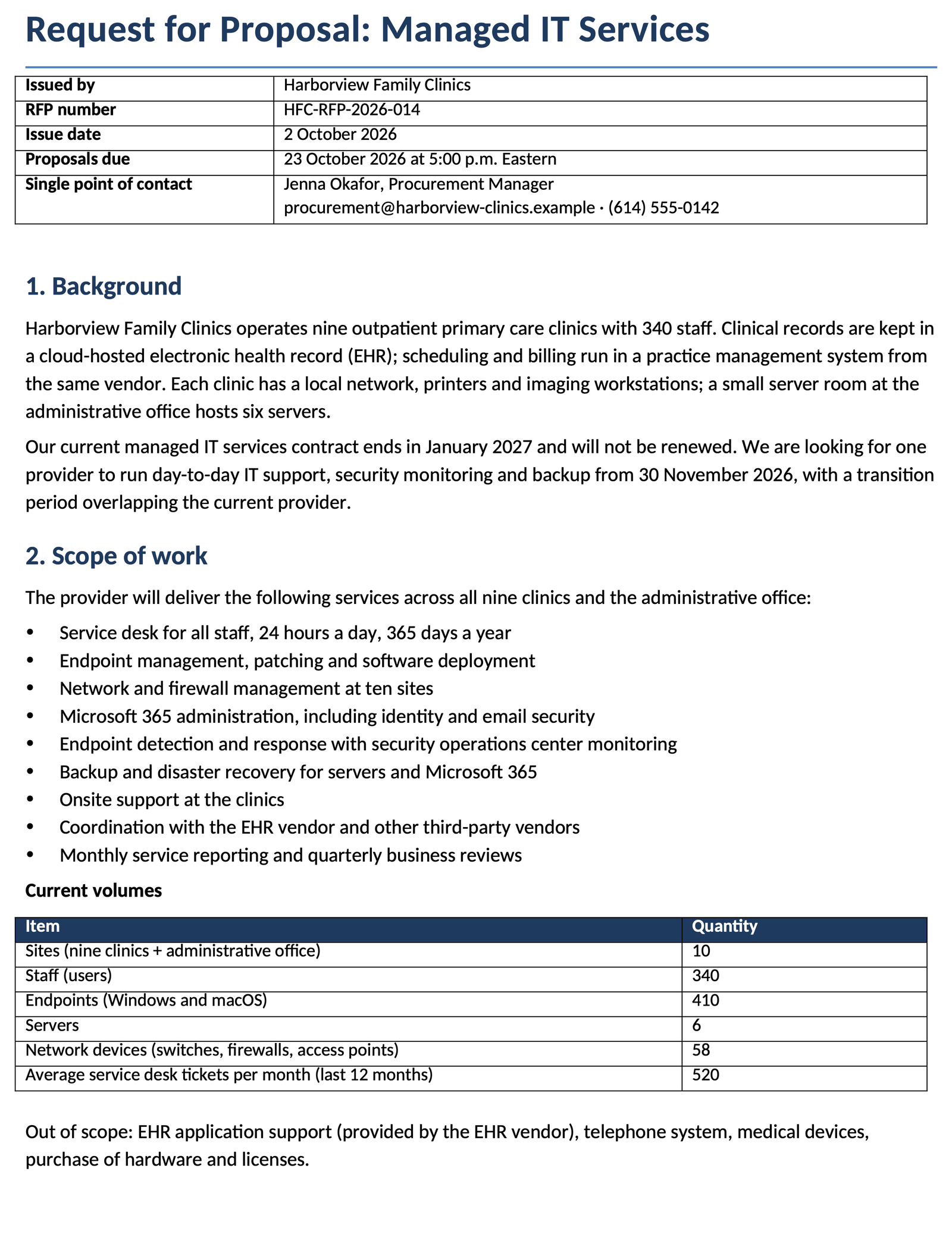
You need a contractor or supplier and policy says get at least three proposals. Proposals that arrive as differently shaped PDFs cannot be compared, and a weight chosen after the bids are open is hard to defend. This RFP opens on the page without registration with background, scope, requirements, timeline, evaluation criteria, a pricing form and terms. Every supplier answers the same response form, and its fields match the columns of the evaluation workbook, one row per supplier.
How to use it
1
Give the background, the scope and the volumes suppliers price against: sites, users, devices, monthly tickets. Say what is out of scope.
2
A must is pass/fail and disqualifies a supplier that cannot meet it. Keep musts to the few that truly are; score the rest.
3
Issue date, questions deadline, proposal due date and decision date. Publish the criteria with weights totaling 100% before any proposal arrives.
4
Suppliers open the RFP from the link without an account and answer in the same response form: prices, start date, an answer and comment for every requirement, references.
Filled example
The filled example is a request from Harborview Family Clinics, a fictional group of nine outpatient clinics, for managed IT services: a 24/7 service desk for 340 staff, 410 endpoints, security monitoring and backup. It has ten requirements (six must, four should), seven weighted criteria with price at 20%, and proposals due on 23 October 2026.
Common mistakes
A brand name or one vendor's feature list gets you one real bid and three formalities. Describe the outcome and the standard instead.
When every supplier prices differently, you compare different scopes. Use one pricing form: one-time and annual, same items for everyone.
Changing weights once you have seen the proposals makes the award easy to challenge. Publish them in the RFP and keep them.
FAQ
It is free, and you do not need an account to fill in the RFP or send it. Suppliers open the link without an account too. Sign-in appears only when you save the RFP to a workspace or invite your team.
An RFI collects information while you are still exploring the market. An RFQ asks for a price when the specification is fixed. An RFP asks for a solution and a price when suppliers can meet the need in different ways.
Three to five is common: fewer gives little to compare, more takes longer to evaluate. Check whether your purchasing policy or funding rules set a minimum.
Two to four weeks for a services RFP like the example, longer for complex or regulated purchases. Close questions about a week before the due date and send every answer to all suppliers.
Each field of the response form has a matching column on the Responses sheet of the evaluation workbook, one row per supplier. Copy each answer into its row; price score, weighted totals and ranking are formulas there.
Yes, on the paid Send plan: the RFP as a .docx file that opens in Microsoft Word and the evaluation workbook as .xlsx. On the free plan you download a PDF with a “Made with Layers” line, no registration needed.
We use no advertising cookies. With your consent we turn on Google Analytics to see which pages help; without it nothing is sent to Google. About cookies