 Jira & Confluence



 Bitrix24
 Monthly budget · J$ · 50/30/20
Monthly budget planner Jamaica — what comes in, what goes out and what is left, in J$
Short answer. Put in what the household brings home and what goes to needs, wants and savings: you see straight away what is left at month end and how close you are to 50/30/20. Income: take-home pay (after PAYE, NIS, NHT and education tax) plus side income, overtime or remittances (Your payslip).
- Move the savings — on paydaytype the date
- First check of the spending logtype the date
- Close the month and change one itemtype the date
Check your own case.
Suggestions, not rules.
Start typing right in the document — no sign-up. It stays in this browser; save it to your free Layers account to keep it, open it on your phone and share it.
Monthly budget · J$ · 50/30/20
What comes in, what goes out and what is left this month
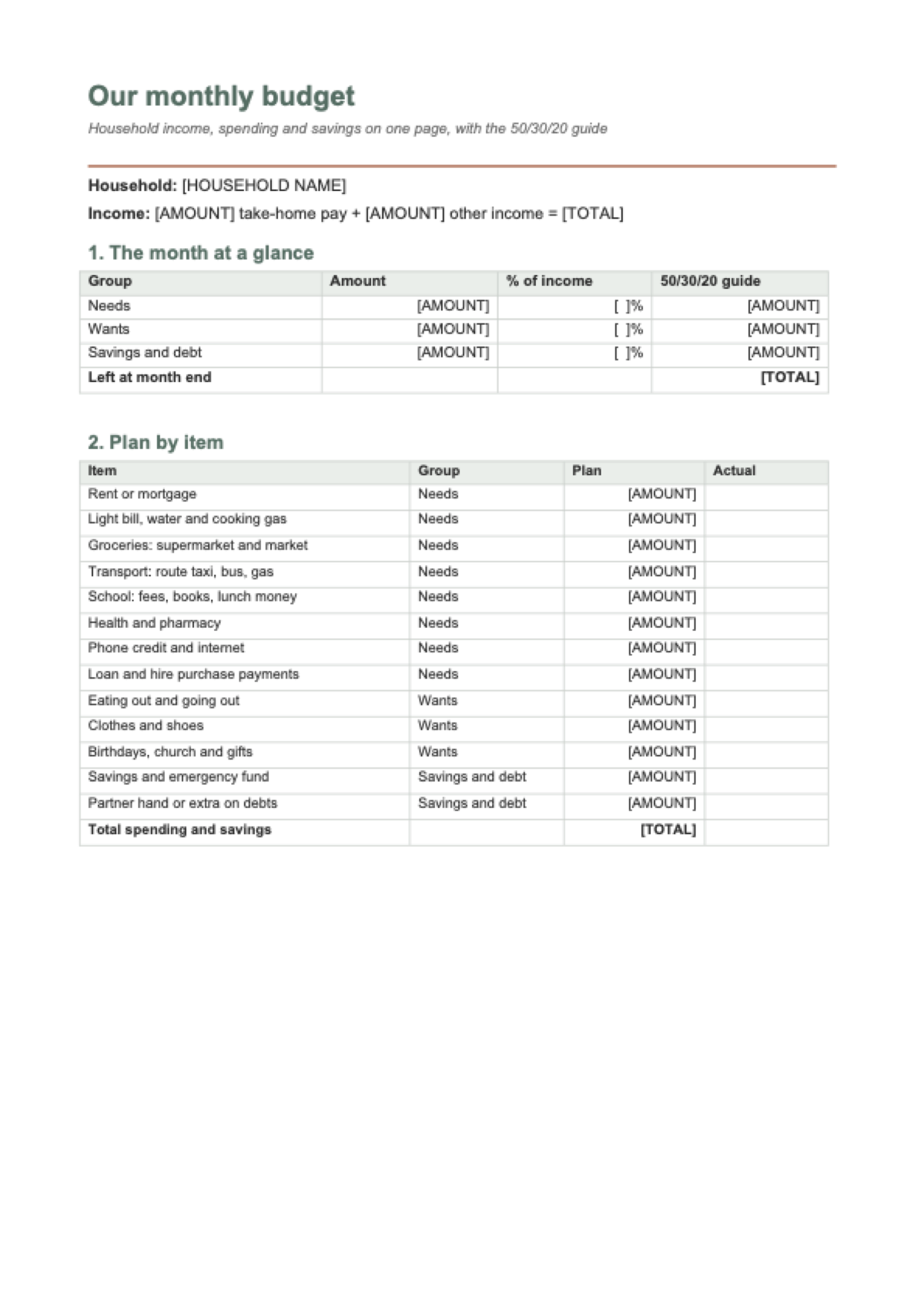
Put in take-home pay, other income and what goes to needs, wants and savings. You see what is left and how it compares with 50/30/20; the Excel file has 13 items and a spending log.
- Move the savings on payday, before spending.
- Log your spending in the Excel file once a week.
- At month end, change one item only for next month.
Arithmetic: left over = income − needs − wants − savings and debt. The 50/30/20 guide is not a rule or financial advice.

Lida, Layers template assistant
Tell me what the household brings home and what goes to each group, and I will show what is left at month end.
The Excel file has a spending log; the Word page prints for the kitchen wall.
Deadlines
The rules, with the source
| What | Deadline | Source |
|---|---|---|
| Income | take-home pay (after PAYE, NIS, NHT and education tax) plus side income, overtime or remittances | Your payslip |
| Needs | rent or mortgage, light bill, water and gas, groceries, transport, school, health, phone credit and loan payments | Guide: 50% of income |
| Wants | eating out, clothes, birthdays, church and gifts | Guide: 30% |
| Savings and debt | savings, emergency fund, partner hand or extra on debts | Guide: 20% |
| Left over | income − needs − wants − savings and debt | How the planner counts |
The 50/30/20 guide is for comparing, not a rule: on a smaller income, needs often go above 50%. Example amounts are fictional households.
Step by step
What to do, in order
1
Put in what comes in
Take-home pay and any other income this month.
2
Split into three
Needs, wants, savings and debt.
3
Keep the log
Every real spend in the Excel file; at month end, change one item.
Questions
How do I make a monthly budget?
Add up what the household brings home, take the savings out first, then share the rest between needs (rent, bills, food, transport, school) and wants. During the month, write down every real spend and compare it with the plan.
What is the 50/30/20 rule?
A guide for sharing out income: 50% to needs, 30% to wants and 20% to savings and debt. The calculator shows your own share in each group — it is not a must.
Where does a partner hand go?
In «Savings and debt»: the hand you throw comes back as your draw. In the month you get the draw, put it in other income.
Is there a monthly budget template for Google Sheets?
Download the Excel file and open it in Google Sheets: the formulas, the spending log and the drop-down list work there too.
Is it free? Do I need to sign up?
It is free and you do not need to sign up: fill in your numbers, see the result and download the Excel and Word files. With a free account you can save a copy to your Layers.
Other documents
Keep the papers in one place
Letters, receipts and notices in one folder you can share with family or a lawyer. The templates and the editor are free; Layers is free for up to 20 people.
A budget tool, not financial advice.